Yes — you can complete advertiser verification and keep your campaigns running. The Advertiser Verification Program confirms identity, website authenticity, and payment details so users and the platform stay protected.
I manage business accounts and have guided brands through this process. In practice, most updates appear within five business days. Google may pause an account until information and documents match legal records.
Prepare clear documents, exact legal names, and accurate information. That reduces back-and-forth and lowers the risk of suspension. Verified details are shown publicly for transparency and help build user trust.
If you need fast help, call us at +237 676550185 or email contact@tontonbusiness.net. We avoid over‑promising and focus on clear, practical steps so your account stays healthy.
Key Takeaways
- Verification confirms advertiser identity and protects your google ads investment.
- Have quality documents and exact legal names ready to speed the process.
- Typical updates show within five business days; missing info can pause campaigns.
- Verified info appears in ad disclosures to boost trust and transparency.
- Contact support early or call +237 676550185 for specialist help.
User Intent and Why Google Ads Verification Matters in 2025
Advertiser screening now sits at the center of platform trust and campaign continuity.
Trust and transparency drive user choices and platform safety. All advertisers will eventually face a verification step as part of broader transparency work. That step proves who you are, how your business operates, and that payment details match legal records.
Google flags accounts for review when behavior looks risky, an industry has higher regulation, or users ask brand questions. A prompt may also appear during an appeal after a suspension.
- Verification covers three pillars: identity checks, business operations questionnaires, and payment profile validation.
- Completing google ads verification on time reduces pauses and keeps campaigns eligible across Search and YouTube.
- The Ads Transparency Center publicly shows legal names, locations, and creatives so customers can judge credibility.
Strong verification hygiene supports ongoing compliance with policies and limits enforcement risk. If you need help, call us at +237 676550185 or email contact@tontonbusiness.net.
how to id verification google ads
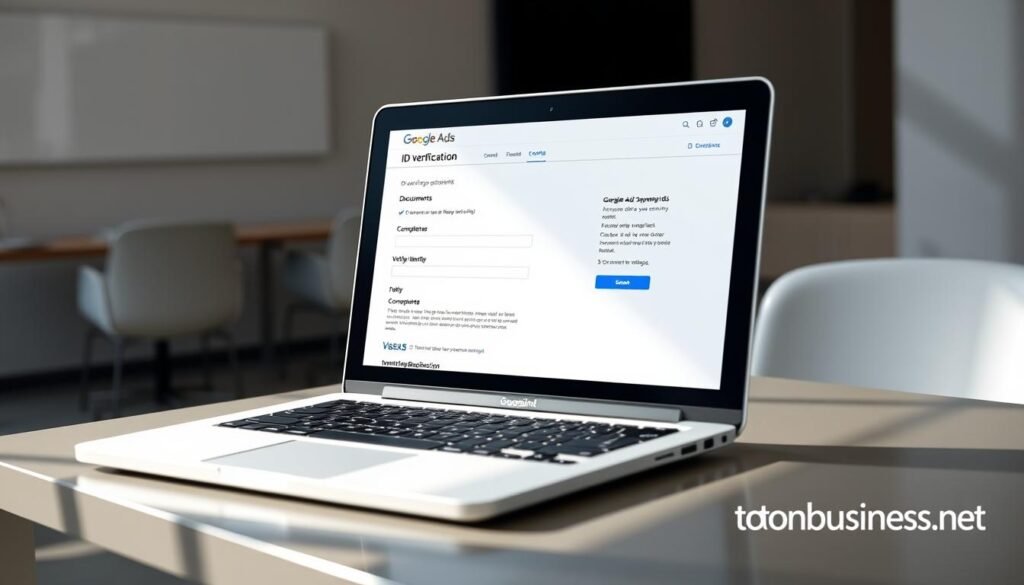
C Begin at My Ad Center and open the Advertiser Verification area. The Verification Center shows tasks, deadlines, and your current status in one place.
What you’ll see is a clear in‑account banner and an email outlining required steps. Act before the deadline to avoid delivery interruptions.
Where to start: My Ad Center and the Verification Center
You’ll access the Verification Center through My Ad Center to view required steps, deadlines, and status. If you manage multiple accounts, confirm each ads account has correct payment profiles and permissions.
What to expect: in‑account and email prompts, deadlines, and status
- The ads verification process asks for organization answers and documents that match legal records.
- Monitor “Verification Pending” notices; updates often post within a few business days after submission.
- If some ads are restricted during checks, completing tasks quickly usually restores serving.
- Keep notifications routed to an active inbox so your team does not miss time‑sensitive requests.
If anything is unclear, call us: +237 676550185 or email contact@tontonbusiness.net. We’ll review your task list and the documents you need.
Who Needs Verification and When You’ll Be Prompted
Your account may be asked for extra proof when systems detect unusual activity. Platforms run phased checks, so selection often depends on risk signals rather than random choice.
Common triggers include industry risk, sudden spend changes, and content that draws brand questions from users. High‑risk industries often surface earlier in the rollout.
Triggers: industry risk, suspicious behavior, brand queries, or appeals
- You may be flagged because your industry carries higher scrutiny or because automated systems see unusual patterns.
- Accounts running brand queries or using features that can be misused get attention sooner.
- If you file an appeal after suspensions, submission of requested documents is often required before review.
- Google can pause an account during checks when there is suspected user harm or serious policy concerns.
Rollout note: all advertisers will eventually be required
Expect universality. The transparency program will expand so that most advertisers must meet these requirements. Keep your business information current and assign an owner to track tasks.
Quick tip: Review recent changes if you’re unsure why you were selected, gather requested materials immediately, and keep names consistent across your account, site, and payment profile.
Step‑by‑Step: Completing the Identity Verification Process

Start by confirming that your account profile and payments profile list the exact legal entity for your business.
Account setup and accurate profile details
Set your account and payments profile fields to match IRS/EIN documentation. For example, upload a W‑9 that shows the legal name and address.
Submitting organization details and matching legal names
Enter the legal name exactly. Do not use DBAs, abbreviations, or nicknames. Mismatched names are the most common reason for delays.
Authorized representative ID and payments administrators review
Have the authorized representative ready with a passport or driver’s license and clear scans. Confirm payments administrators are correct before submitting to avoid extra checks.
Typical review timelines and re‑submission scenarios
Expect a response within three to five business days. If images are blurry, cropped, or names don’t match, you’ll need to re‑submit documentation quickly.
- Keep high‑quality, readable files and a secure folder of current paperwork.
- Coordinate across your team so notifications reach the right person.
- After approval, verify your ad disclosure shows the correct legal name and location.
- Note: changes to ownership or payments profile can trigger reverification.
Documents You’ll Need for Google Ads Verification
Prepare crisp, legible paperwork so reviewers confirm your legal information fast. Readable files reduce back-and-forth and cut downtime.
Individuals and unregistered businesses must supply a valid government‑issued photo ID. Make sure the image shows all fields and is not cropped.
- Organizations should provide business registration certificates and IRS/EIN records (for example, a W‑9) that match your billing profile.
- Regulated services may need professional licenses or permits. Gather these before requests arrive.
- Confirm your website lists clear contact details and a compliant privacy policy.
| Document type | Who provides it | Purpose |
|---|---|---|
| Government photo ID | Individual / unregistered | Prove identity and date of birth |
| Business registration | Corporation / LLC | Confirm legal name and address |
| IRS/EIN (W‑9) | Organizations | Match tax and billing records |
| Professional license | Regulated services | Show industry compliance |
Final tip: align names across your account, website footer, and invoices. Keep timestamped copies of submissions in case reviewers request clarification.
Additional and Advanced Verification Explained
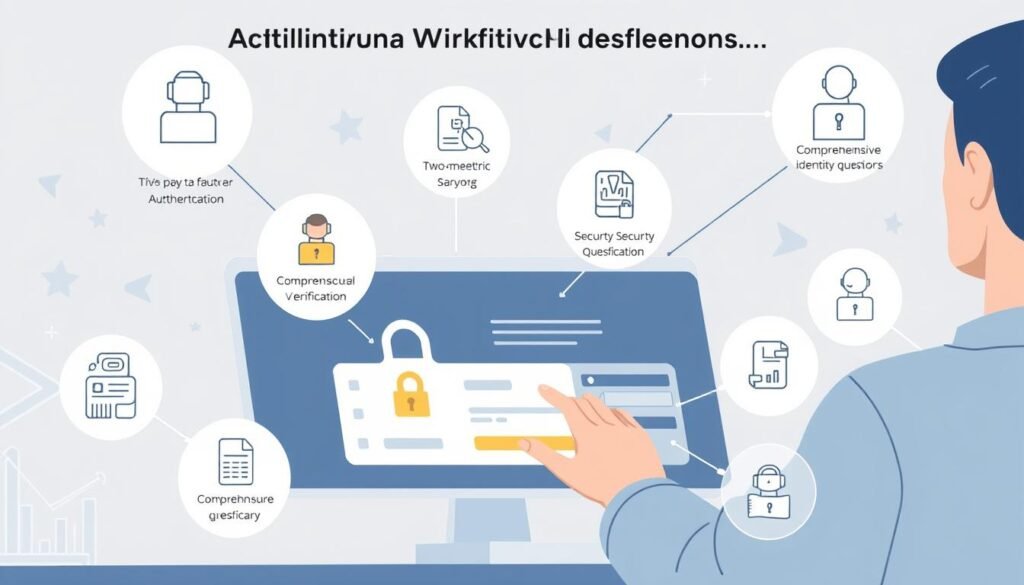
Some advertisers face deeper checks that probe partnerships, fulfillment, and compliance. These steps look beyond basic identity and examine how your business runs day to day.
Business Operations Verification inspects your model (reseller, affiliate, or direct), product and service offerings, and relationships with brands or third parties. Expect questions about who fulfills orders and who provides customer support.
Triggers include high‑risk industries, fraud‑prone regions, suspicious activity, and accounts misconfigured in payments profiles. For example, a payments profile set as Individual while you operate a registered business often raises flags.
Advanced checks and special categories
- Advanced verification is mandatory for categories like Local Services in the U.S. and political advertising.
- These checks may use third‑party vendors and can require live video or extra documentation.
- Provide operating procedures, licenses, proof of address, and a diagram of partner relationships to speed approval.
Tip: Assign a single owner for requests, fix mismatched profiles before submission, and keep clear records. These layers protect users and raise ad quality across the platform.
Deadlines, Industries, and U.S.‑Focused Requirements
Certain sectors face fixed cutoffs that require prompt action or risk paused campaigns.
Key dates matter. Finance (debt service) advertisers must meet the June 3, 2025 deadline in multiple countries. Local Services in the U.S. use Evident for ID checks and face a July 25, 2025 cutoff.
Regulated categories and required information
Healthcare and gambling advertisers often need extra proofs such as medical or service licenses and business credit records. Compile these files early so your review moves smoothly.
- Mark calendars for finance and Local Services timelines.
- For Local Services, have license proofs and personal ID ready for Evident checks.
- Healthcare and gambling should gather compliance and financial documents ahead of time.
Risk and practical steps
Missing a deadline can pause delivery and cost you revenue. One debt service advertiser missed June 3, 2025 and saw campaigns suspended until documents were submitted.
| Category | Deadline | Typical required information |
|---|---|---|
| Finance (Debt Service) | June 3, 2025 | Business registration, tax records, proof of operations |
| Local Services (U.S.) | July 25, 2025 | Personal ID, service licenses, Evident confirmation |
| Healthcare / Gambling | Varies by state | Medical licenses, permits, business credit reports |
Assign an owner to track tasks, verify each jurisdiction’s licensing, and pace your campaigns around expected review time. Keep records of every submission and use your account notifications to avoid a “Verification Pending” surprise.
Using the Ads Transparency Center to Monitor Your Public Details
Treat the transparency portal as an audit tool that shows what users see about your brand. It lists your legal business name, country, creatives, served dates and locations, removals or suspensions, and any name change history.
“Keep public disclosures accurate — they are the first thing users judge.”
What users can see
Search the transparency center to confirm your public legal name and country are correct. Review past creatives and delivery history for outdated language or expired claims.
Staying accurate after major changes
If you update ownership, business name, or payments profile, expect possible reverification and public updates. Keep internal records, your site footer, and your account aligned so users see consistent information.
- Monitor the platform regularly and train your team to check after major changes.
- Correct errors in your account and re-upload supporting documentation when needed.
- Keep a change log and ensure contact details route to monitored channels.
Use ads transparency as a trust builder: consistent, accurate details improve credibility with prospective customers and regulators.
Troubleshooting Common Verification Issues
Common verification issues often show up at the document stage and are fixable with simple checks.
What typically fails: mismatched organization names, blurry scans, expired IDs, or missing fields. These errors cause quick rejections and slow review.
Fast checks you can run now
- Align names: update your account and payments profile to match legal documents before resubmitting.
- Rescan at high resolution: verify expiry dates and readable text so reviewers accept the files.
- Monitor status: “Verification Pending” usually resolves in three to five business days; check account notifications for follow up.
- Inbox coverage: make sure your team monitors the email tied to your google ads login so nothing is missed.
- Review recent changes: if an account is paused, audit recent edits and ad content that may trigger stricter review under platform policies.
“If a pending status drags on, gather timestamps, a clear summary of submitted materials, and use the escalation path with support.”
Keep a checklist of required fields for each document type. Track submission timestamps and match each locale’s legal entity when you manage multiple markets.
| Failure type | Immediate fix | Why it matters |
|---|---|---|
| Name mismatch | Align account, payments profile, and legal papers | Prevents automatic rejection |
| Low‑quality scans | Rescan at 300+ DPI and upload clear files | Allows reviewer verification of details |
| Expired records | Replace with current IDs or renewals | Expired files cannot confirm identity |
| Stalled pending status | Check notifications and escalate with timestamps | Speeds investigation and restores account activity |
After resolution: audit your internal workflow to prevent repeat issues and keep your records aligned for future checks.
Ongoing Compliance: Reverification, Policy Updates, and Best Practices

Staying compliant matters year round. Most advertisers must reverify annually or after significant account changes such as ownership transfers, billing edits, or payments profile updates. Plan for regular checks so your campaigns keep running and users see accurate disclosures.
Annual reverification and triggers after major account changes
Set reminders for yearly reverification and add a workflow that runs when billing or ownership changes occur. If you update your business name, address, or payment details, expect a recheck. Prompt action reduces pauses and speeds approvals.
Keep your site clear with contact details, a visible privacy policy, and secure checkout. Match ad copy to landing pages and operations so platform policies find no gaps. Accurate messaging lowers suspension risk and improves user trust.
Optimization bonuses for verified advertisers: visibility and support
Verified profiles often gain better access to features and faster support. Treat verification as a business advantage: consistent documentation and clear naming conventions can boost performance and reduce friction.
| Action | Why it matters | Frequency |
|---|---|---|
| Annual reverification reminder | Prevents unexpected pauses | Yearly |
| Documentation repository | Speeds rechecks and resubmissions | Ongoing |
| Website compliance audit | Ensures landing pages match ads | Quarterly |
| Policy center monitoring | Adapts campaigns to platform updates | Monthly |
- Train your team on naming conventions and data consistency to avoid identity conflicts.
- Document internal changes that may trigger rechecks and notify stakeholders promptly.
- Use verification as a foundation for broader compliance across regulated offerings.
“Proactive compliance reduces downtime and keeps your campaigns eligible.”
Get Help with Your Google Ads Verification
When deadlines loom, getting expert help speeds review and keeps campaigns running. Call or email our team for hands‑on guidance through identity, business operations, and payment validations.
Call Us: +237 676550185
Contact Us: contact@tontonbusiness.net
What to prepare before reaching out
- Gather legal entity documents (W‑9 or IRS/EIN letter), government IDs, and licenses.
- Capture a recent screenshot of your Verification Center tasks and include payments profile details.
- Provide links to your website contact and privacy policy pages so we can confirm compliance quickly.
- If you run Local Services or political campaigns, list category, state licenses, and any prior Evident submissions.
- Make sure someone on your team has admin access to the ads account for joint troubleshooting.
Typical timeline: once accurate information and clear documentation are submitted, reviews often finish in 3–5 business days. Common blockers include mismatched names, expired IDs, or misconfigured payments profiles.
| Service | What we check | Outcome |
|---|---|---|
| Account review | Legal name, payments profile, admin access | Identify mismatches and next steps |
| Documentation audit | W‑9, IDs, licenses, screenshots | Drafted re‑submission package |
| Escalation support | Timelines, correspondence, evidence | Faster platform review |
“We’ll map a clear plan, remove blockers, and provide a checklist you can reuse for annual reverification or ownership changes.”
Conclusion
A clear verification path saves time, prevents pauses, and builds public trust. Follow the tasks in My Ad Center, submit exact legal names and crisp documents, and keep records handy.
Make a strong, clear plan for deadlines — for example, debt service by June 3, 2025 and Local Services U.S. by July 25, 2025. Annual reverification and ownership or payments changes can trigger new checks.
Keep your website, payments profile, and account aligned so your advertising campaigns run without surprise pauses. Use the Transparency Center to confirm public details and reinforce trust with prospects.
If you hit roadblocks, call +237 676550185 or email contact@tontonbusiness.net. We’ll review your materials and help you meet requirements on time.