You will usually find that privacy tools block analytics scripts rather than rewrite URLs, but some browsers or extensions may truncate tracking tags and hurt attribution.
I have audited paid campaigns where apparent direct traffic rose sharply after blockers prevented Google Analytics scripts from loading. That pattern hides the true source of clicks and skews campaign performance and ROI. Industry notes on GA4 show scripts are common targets for privacy tools, which explains why sessions appear as direct when analytics fails.
What this means for you: if your tracking tags are removed or your analytics script is blocked, your marketing data and traffic attribution will be unreliable. You can improve resilience with careful tagging, server-side measures, and respectful privacy practices. For help implementing robust tracking, call us at +237 676550185 or email contact@tontonbusiness.net.
Key Takeaways
- Most blockers block analytics scripts (like GA4) rather than alter URLs.
- Some privacy-focused browsers and extensions may remove query tags and harm attribution.
- When analytics cannot load, paid and organic efforts may be undercounted as direct traffic.
- Parameters act as attribution tags that link clicks to campaign performance and ROI.
- Mitigations include strict tagging, server-side tracking, and privacy-first tracking design.
Understanding Your Search Intent and What You’ll Learn Today

Start by defining the goal: protect attribution so your marketing shows true results and you spend wisely.
You’ll get clear insights into how utm tags work, how GA4 and alternate analytics read them, and why blocked scripts can make traffic appear as direct. This helps you judge campaign performance and show real impact to stakeholders.
The section walks you through GA4 Exploration setup, naming best practices, and server-side transformations that restore missing parameters when needed.
- How to evaluate where your visitors come from and which platform drives conversions.
- Simple ways to add utm tags and the right parameters so analytics reflect true traffic.
- Which tools suit your audience and privacy needs — from GA4 to lightweight alternatives.
- An acquisition checklist and an example reporting setup you can reuse across campaigns.
“Accurate data lets you act on insights, not on vanity metrics.”
If you need help implementing any step, Call Us: +237 676550185 or Contact Us: contact@tontonbusiness.net.
Can ad blockers strip UTM parameters from google ads link

Short answer: privacy tools most often stop analytics scripts, but some browsers and extensions may also trim query tags on arrival.
What tools typically block versus what they modify
Most tools focus on scripts like GA4 that collect data. That means your utm values remain in the address bar but are never recorded.
A smaller set will rewrite or remove query pieces. This behavior alters urls and affects attribution directly.
Privacy-focused browsers and extensions that may truncate tags
Examples include privacy-first browsers such as Safari and Brave and extensions like uBlock Origin or Privacy Badger. Some of these apply stricter defaults that remove marketing parameters unless a user changes settings.
How blocked analytics make UTM data look “direct”
- Script blocking: utm values exist but are unread, so sessions surface as direct.
- URL rewriting: parameters are removed and acquisition data is lost.
- Test plan: validate across browsers, extensions, and device types to measure impact.
“Test real clicks across environments to quantify lost attribution.”
How UTM Parameters Work and Why They Matter for Campaign Performance

Small query tags added to your URLs help you map traffic to specific campaigns. These snippets label the visit so analytics can show which content and effort drove the click.
UTM building blocks
Each tag carries a role: utm_source names the origin, utm_medium declares the type, and utm_campaign groups the promotion.
Optional fields include utm_term for paid keywords and utm_content for creative variants.
Using the campaign url builder
Open the campaign url builder, paste your page url, set the source and medium, add a campaign name, then add content or term if needed.
Keep values lowercase, use dashes or underscores, and avoid spaces for consistent reporting.
Clean examples and where they show up
- Good example: ?utm_source=google&utm_medium=cpc&utm_campaign=winter-sale&utm_content=cta-a&utm_term=keyword
- These values appear in analytics as Source/Medium, Session campaign, Manual ad content, and Session manual term.
“Consistent naming keeps your reports readable and your data trustworthy.”
Tip: document the rules, apply tags across email, social, and paid channels, and validate with a quick click test so your campaign data stays reliable.
Measuring the Impact in GA4: Verifying UTM Tracking and Attributing Results
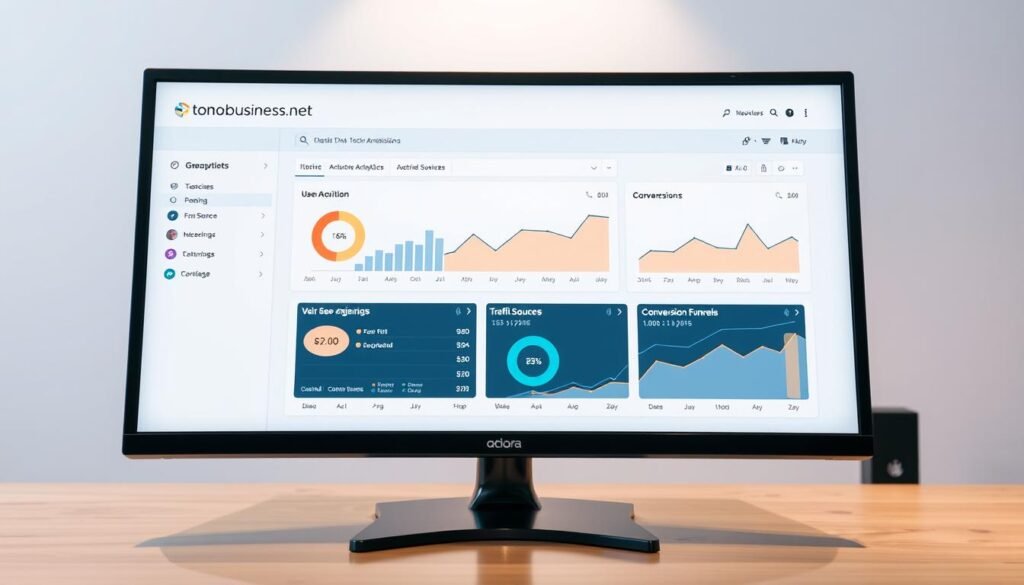
Begin with a simple validation: click a tagged url and watch what ga4 records. Use Traffic Acquisition for a quick, high-level check. Then switch to Explore for deeper, row-level detail.
Traffic Acquisition vs. Explore
Traffic Acquisition shows default channel and source at a glance. Explore gives you control to add dimensions and slice sessions for precise analysis.
Key GA4 dimensions to add
- Source/Medium — confirms the source and default channel.
- Session campaign — shows campaign names you set.
- Manual ad content and Session manual term — surface content and keyword values.
Common pitfalls and a quick step-by-step
Case sensitivity splits values. Enforce lowercase naming to prevent duplicate buckets.
Sampling can skew large queries; narrow dates or segments to improve accuracy.
If ga4 is blocked, parameters exist in the url but no data is recorded, so results look like direct. Reconcile by comparing GA4 results with platform click counts to find gaps.
“Validate with real clicks and compare across systems to trust your attribution.”
Best Practices to Preserve Data Quality When Using Google Ads and UTMs

Start by locking down a clear naming system so reporting stays consistent across teams.
Standardize names and separators. Use lowercase values, choose dashes or underscores, and keep fields predictable. This avoids split buckets in analytics and keeps campaign data tidy.
Centralize tracking. Keep every campaign url in a shared sheet with the date, owner, and purpose. Include the final url, tags used, and a short example so teammates reuse the same pattern.
Avoid tagging internal navigation. Adding tags to internal urls can reset sessions and corrupt visitor paths on your website. Apply tags only to external placements and referral points.
- Create a house style guide for naming and enforce it.
- Use the campaign url builder to generate campaign url values to reduce mistakes.
- Add quality control: peer review, preview, and a quick test click before publishing.
- Document exceptions and edge cases so every team handles odd cases the same way.
“Consistent tagging and a single source of truth cut reporting errors and save time.”
Advanced Mitigations When UTMs Are Removed or Scripts Are Blocked
Move critical attribution earlier in the chain. Server-side capture reduces the chance that browser-level protections erase campaign context before it is recorded.
Server-side tracking overview: protecting attribution signals
Implement a server GTM endpoint so clicks write to a controlled collector instead of relying only on the page. This shortens the window where data can be lost and improves resilience for your campaign reporting.
Mapping custom parameters to standard utm values
Create custom markers at click, for example st_src, st_mdm, and st_cmp. Configure your platform templates when using google ads to append these markers so intent is preserved even if query pieces are removed.
Transformations in server GTM to restore utm_ values
Use a Query Replacer variable to rewrite page_location. Map st_* back to utm_* before events forward to GA4. This simple transformation restores campaign fields so downstream reports show accurate source and medium.
Adjusting settings and testing
Preview and test with sample urls. Follow a short step routine: publish mapping changes in a staging container, click example links, confirm page_location is rewritten, then publish.
- Reduce client-side dependencies by capturing signals server-side.
- Document your st_ → utm_ mapping table and version it in your repo.
- Keep platform link templates and server mapping in parity so campaign data resolves reliably.
- Validate end-to-end in GA4 Explorations to confirm campaign fields populate correctly.
“Restore lost attribution by moving capture and transformation to a trusted server layer.”
Analytics Alternatives and Resilience in a Privacy-First Landscape
Privacy-first analytics give you a faster site and cleaner cohort views while keeping user identifiers out of reports.
Plausible is a lightweight, cookie-less platform built for simple trend tracking. It uses last-touch attribution and supports UTM-based reporting so you still see which campaign and source drove traffic. Reports focus on aggregates and avoid storing personal identifiers.
How Plausible treats auto-tagging versus manual tags
Plausible detects GCLID when auto-tagging is present, but it strips unique IDs and labels the medium as (gclid). That gives you a signal that traffic came through paid clicks without exposing user-level tokens.
Manual UTM tagging gives more granular context. If you need campaign, source, or creative detail, manual tags are the clearer option.
Limitations to consider
- No retargeting audiences or conversion imports to platform dashboards because persistent identifiers are absent.
- CSV exports remain aggregated and privacy-safe, which limits person-level exports but preserves compliance.
- For deep funnel or audience-based activation, you may need a hybrid setup that pairs privacy-first reporting with selective server-side solutions.
| Feature | Plausible | GA4 / Google Analytics |
|---|---|---|
| Site impact | Lightweight, improves page speed | Heavier scripts, broad capabilities |
| Attribution | Last-touch, UTM-friendly | Multi-touch options, deeper modeling |
| GCLID handling | Detects but strips IDs (labels medium) | Supports GCLID for import and conversion linking |
| Retargeting / imports | Not supported | Supported with proper consent and setup |
“Choose Plausible when you want fast setup, clear dashboards, and privacy-first reporting.”
Practical approach: use Plausible for trend analysis and site performance, and reserve server-side or controlled platform features when you require conversion imports or audience activation. This hybrid path keeps reports honest while meeting performance needs.
Action Plan: Step-by-Step Checks to Keep Your UTM Tracking Intact
Run a simple, controlled click test to spot gaps before a campaign goes live. Use multiple devices and browsers, and test with privacy extensions enabled and disabled.
Audit your URLs, tags, and platforms with real click-through tests
Click each campaign url and note whether the campaign tags appear in the address bar and in your platform hit counts.
Record failures and the environment (browser, device, extension) so you can reproduce issues quickly.
Validate reporting in GA4 Explorations and compare against ad platforms
Open GA4 Explore and confirm Source/Medium, Session campaign, Manual ad content, and Session manual term populate as expected.
Compare those values with your campaign reports. Reconcile differences and log discrepancies in a tracking sheet.
Set monitoring routines and fix inconsistencies early
- Standardize naming: use a shared sheet and the campaign url builder to add utm parameters consistently.
- Run weekly checks on traffic acquisition and campaign performance to catch anomalies fast.
- Create a rapid remediation playbook for common issues: case sensitivity, missing url tags, or redirects that drop values.
- Document example scenarios and expected results so teammates repeat the same steps.
“Real clicks across environments reveal attribution gaps you cannot see in theory.”
Need help?
If you need expert help implementing these steps or debugging complex setups, Call Us: +237 676550185 or Contact Us: contact@tontonbusiness.net.
Conclusion
Keep attribution reliable by pairing consistent tagging with server-side capture and routine validation. UTMs remain essential to assign traffic and measure campaign performance, even as some privacy tools limit collection or truncate url values.
Use clear naming, avoid tagging internal pages, and validate hits in Google Analytics and privacy-first platforms like Plausible. This approach preserves insights about your audience, marketing, and content while protecting user trust.
With disciplined tracking, server-side transformations, and regular audits, you keep visibility across your site and website and reduce misattribution to direct traffic. Need help implementing this? Call Us: +237 676550185 or Contact Us: contact@tontonbusiness.net.